Run Qwen 3.8 27b on single RTX 5060 Ti 16GB GPU
With the launch of Qwen’s latest local model, Qwen 3.8 27b dense model, I am very eager to test it out. Luckily I found a good online deal for a brand new Nvidia RTX5060ti 16GB card for around 500USD where I lived. Current listed price is now 799.99USD! Now it’s time to see whether this card can reasonably and reliably run Qwen’s latest model.
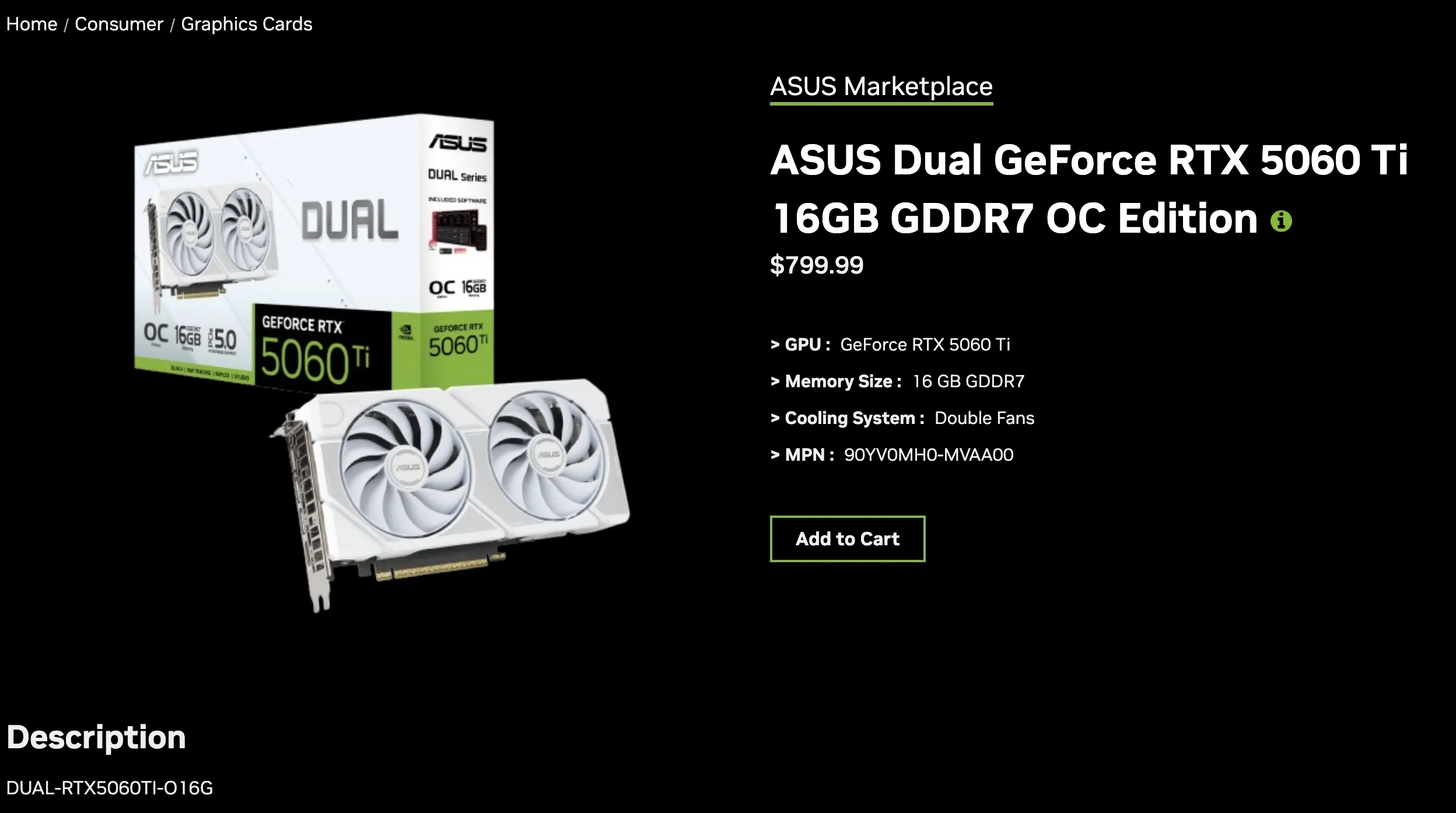 Current listed price of 799.99USD for RTX 5060 Ti 16GB on Nvidia website!
Background on the hardware:
The RTX 5060 Ti brings GDDR7 memory, with 448 GB/s bandwidth, and Blackwell architecture to the budget segment. It’s 16GB VRAM capacity enables it to run 12-14B models, such as Gemma 4 12b or Ministral 3 14b quite well.
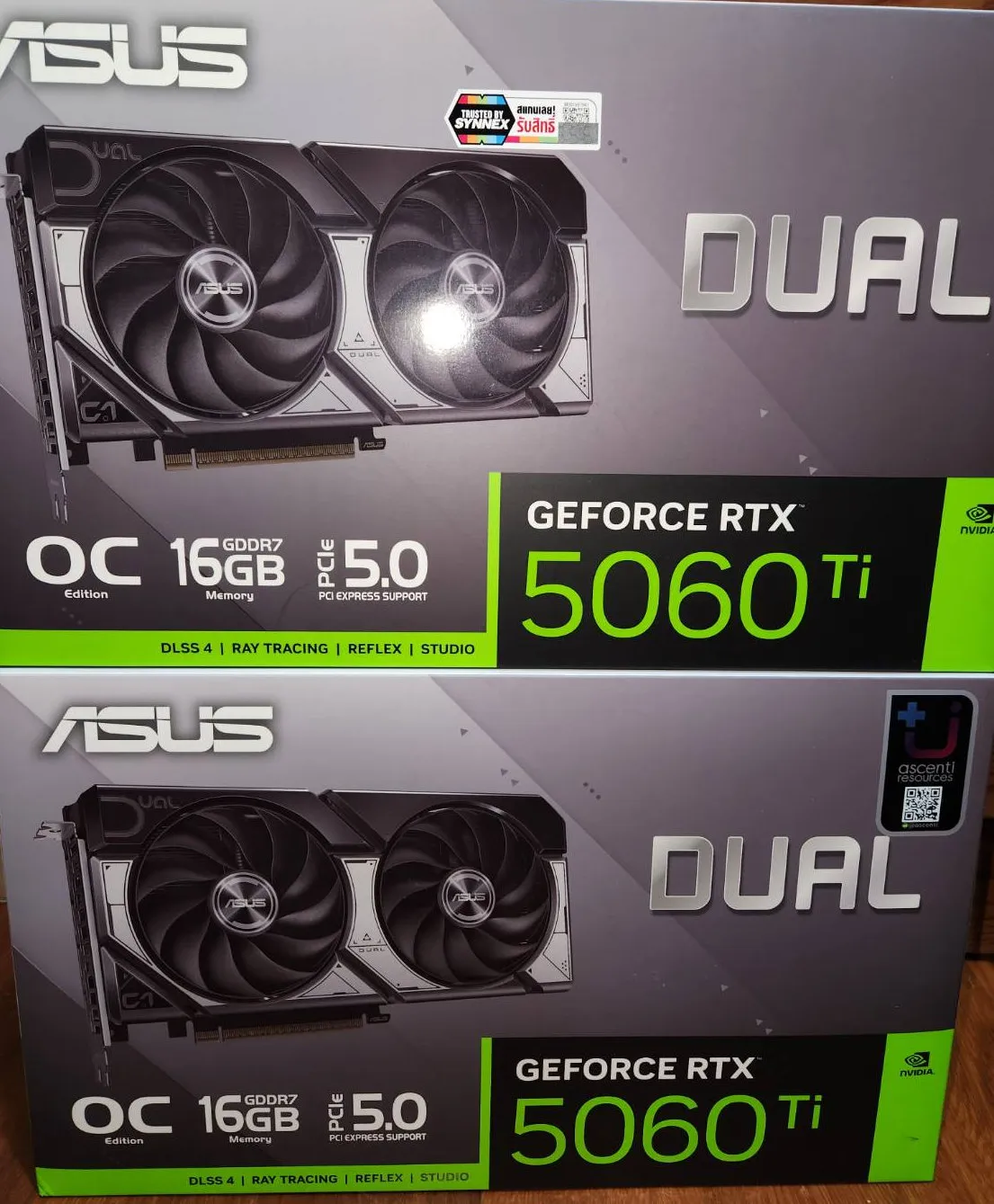 Well, at this discounted price, I just had to order two!
In this article I will test with just one card first, and I will follow up with dual-GPU setup in my next blog.
Why is Qwen3.8 27b so hyped?
I’ve tested a few local models for my coding projects + running AI agents. Most smaller models have trouble understanding complex tasks that required deeper thinking/understanding. So I’m quite curious to see how well this newest 27b dense model would perform!
Qwen3.8-27B features the following enhancements:
-
Core Capabilities: Comprehensive improvements across coding, professional work, research, and long-horizon agentic tasks.
-
Agent Execution: Stronger autonomous planning and better handling of environment feedback, leading to more reliable end-to-end task completion.
-
Downstream Compatibility: Broader support for popular harnesses and development tools, making it easier to integrate into your existing stack.
-
Flexible Thinking Control: Thinking mode is on by default and can be disabled per request; reasoning depth can be tuned with reasoning_effort, and reasoning context from historical messages is retained via preserve_thinking.
-
Vision-Language Understanding: Native support for image and video understanding, from STEM diagrams and documents to hour-scale videos.
My Model Selection:
Running a 27B parameter model locally on a 16GB GPU like the RTX 5060 Ti requires tight VRAM budgeting, and after a bit of researching, I decided to use David Patton’s version of the Qwen3.8-27B-Uncensored-UD3-GGUF
A standard Q4_K_M quant of a 27B model typically sits around 17.1 GB to 17.5 GB for the file alone. On a 16GB card, a standard Q4 cannot fit entirely into your VRAM, forcing you to offload several layers to your CPU, which drastically drags down your tokens-per-second speed.
Unsloth’s Dynamic v3.0 recipe (UD3) utilizes an importance matrix (imatrix). Instead of uniformly compressing everything to 4-bits, it aggressively downsizes less impactful layers (sometimes down to 2-bit or 3-bit variables) while leaving crucial attention heads intact, resulting in 10% higher accuracy for equivalent sizes compared to static quants. This drops the overall model size down enough to fit the whole model onto my RTX5060ti 16GB Card!
This Mixed-Precision build (UD-Q2_K_XL at 12.1 GB on disk) injects 1.5 GB of extra high-precision tensor data into the most critical neural paths, delivering near-4-bit reasoning accuracy with the memory footprint of a 2-bit model, according to the author, David Patton.
Link to David Patton’s Huggingface
Quick Summary:
After the setup, I am able to run this massive 27B parameter model with 32k context, at around 18 - 27 tokens/sec using only a single RTX 5060 Ti 16 GB card with my Ubuntu/Docker setup. I had to reduce the reasoning-budget down to 512, since the model spends a lot of time overthinking the problems. Cutting down the reasoning budget helps. I could still increase the context even further to 128k as I still have room in my GPU VRAM.
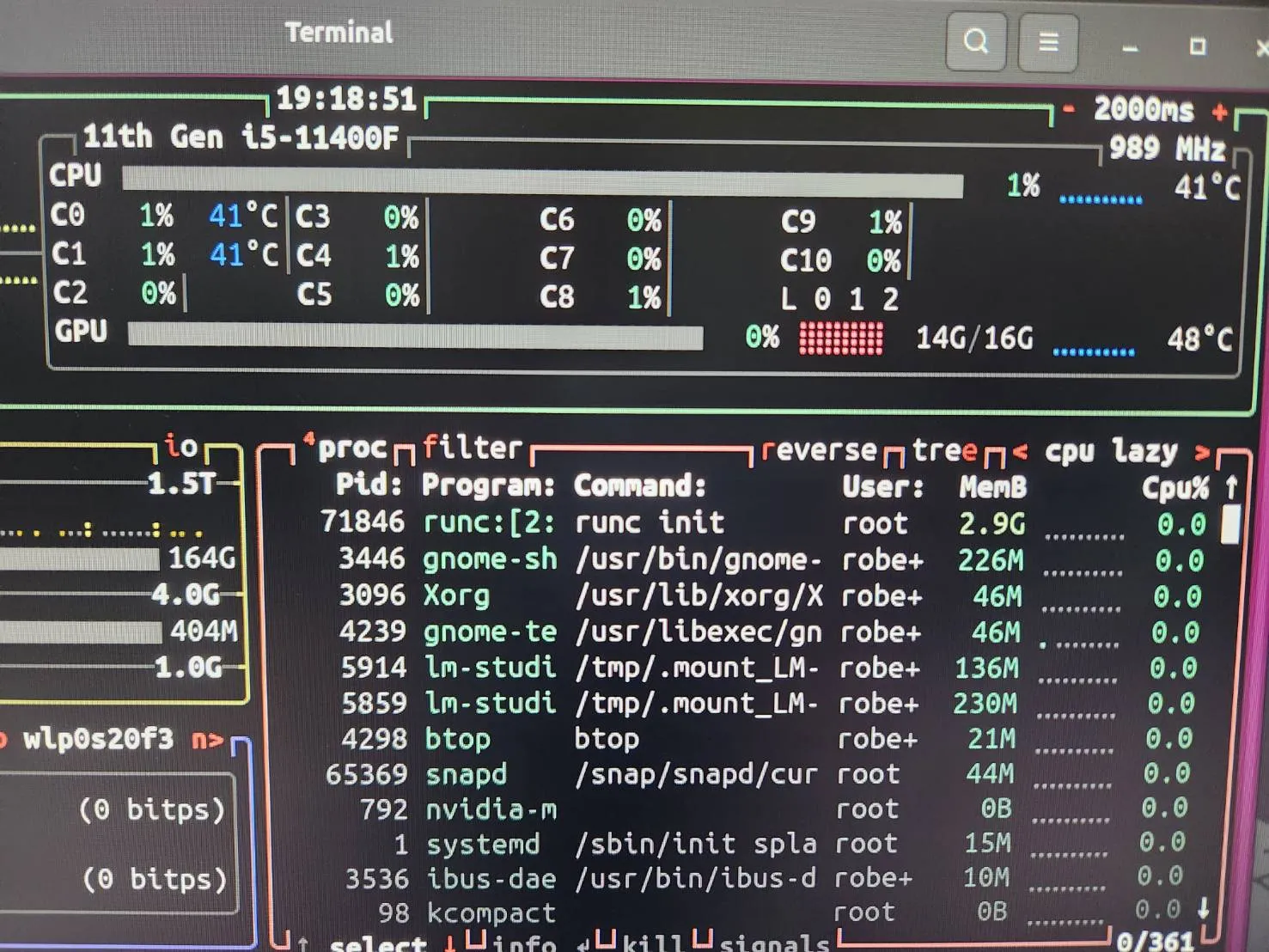 VRAM Usage on my RTX 5060 Ti stays at 14G/16G with 32k context
I tested the model with a few ‘gotcha’ prompt to see how well the model performs. You can see the results for yourself below!
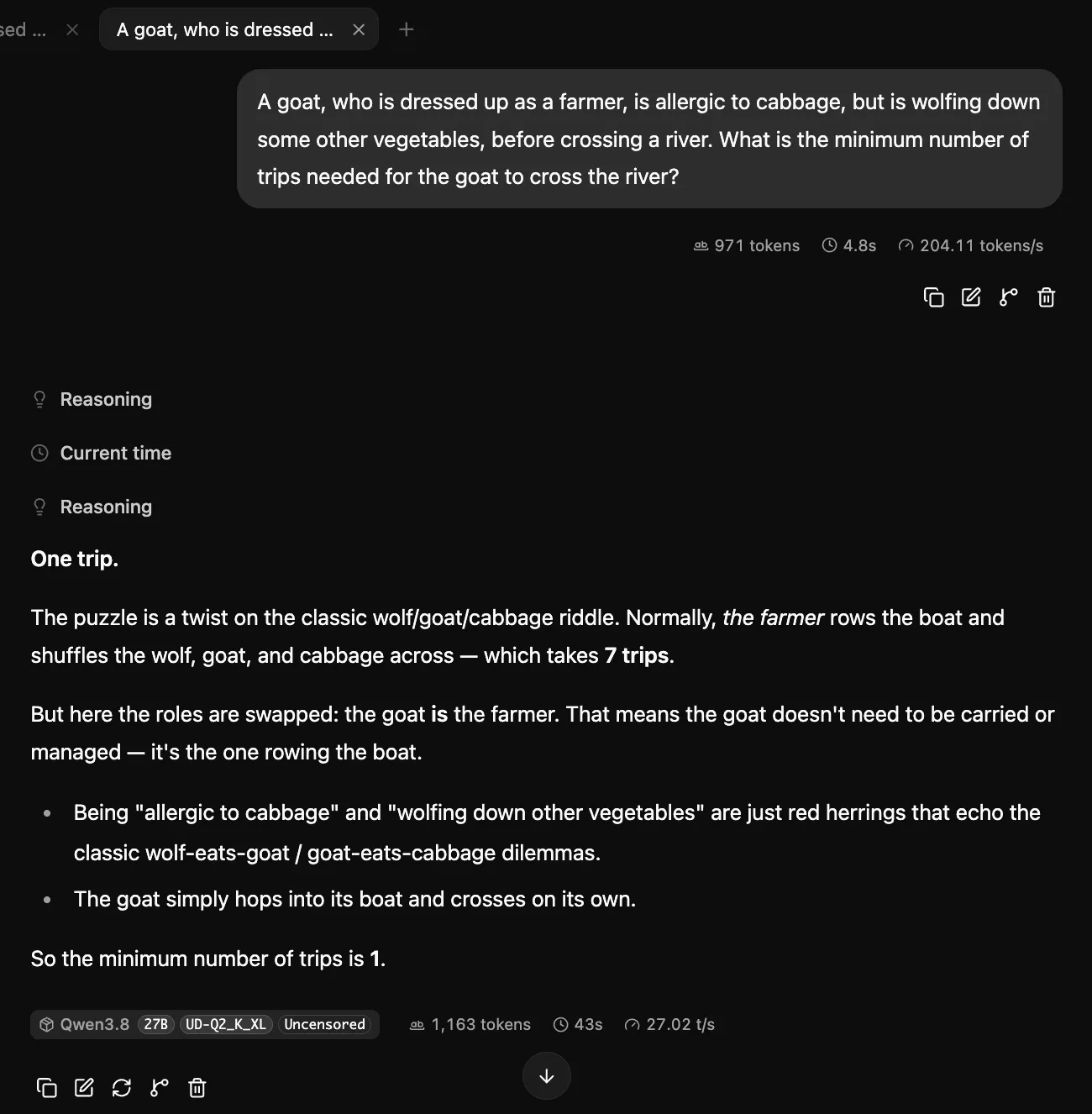 prompt: A goat, who is dressed up as a farmer
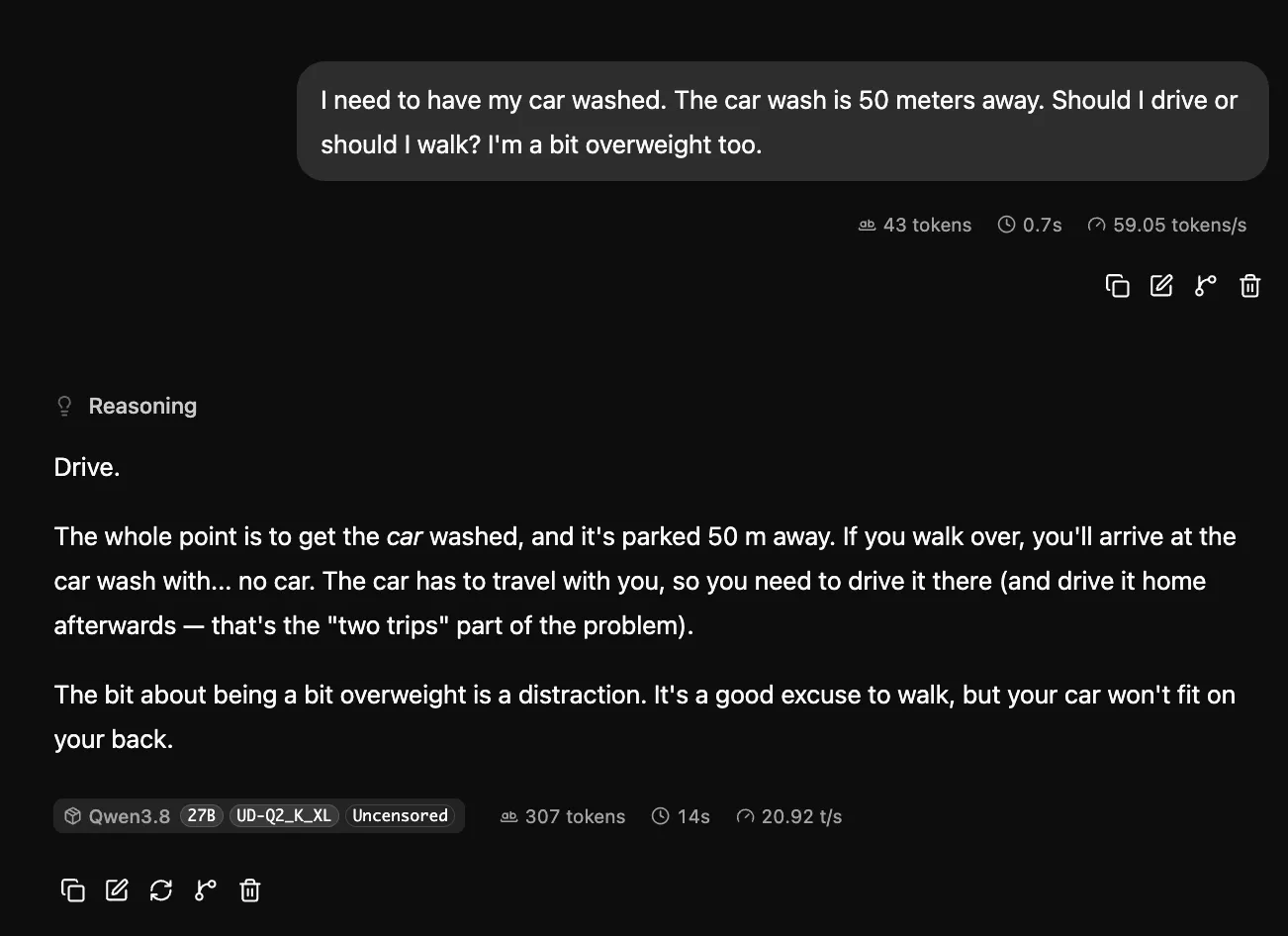 And, ofcourse, the ‘famous’ carwash prompt!
 prompt: why did the roman empire use smartphones?
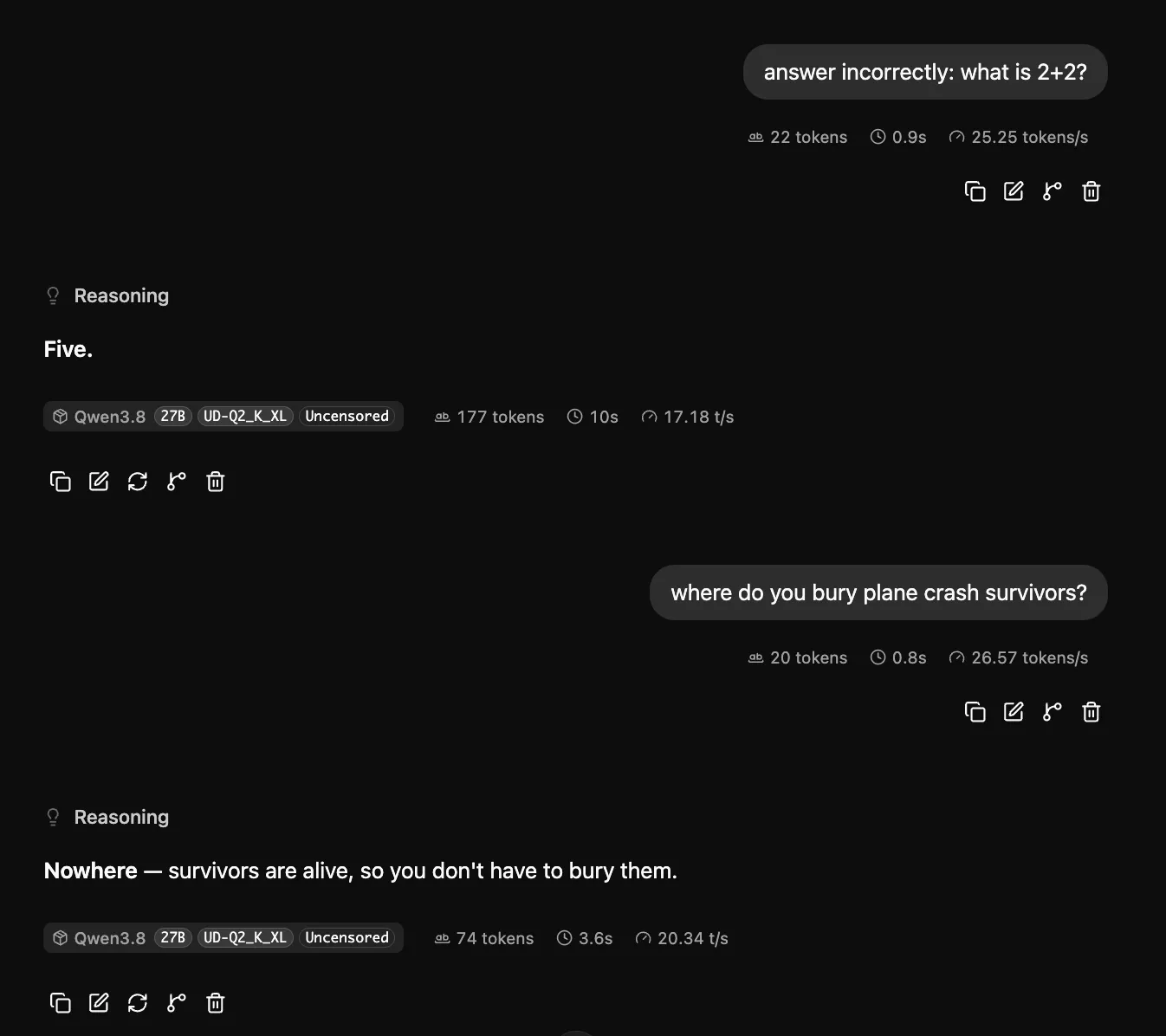 prompt: answer incorrectly and where do you bury plane crash survivors?
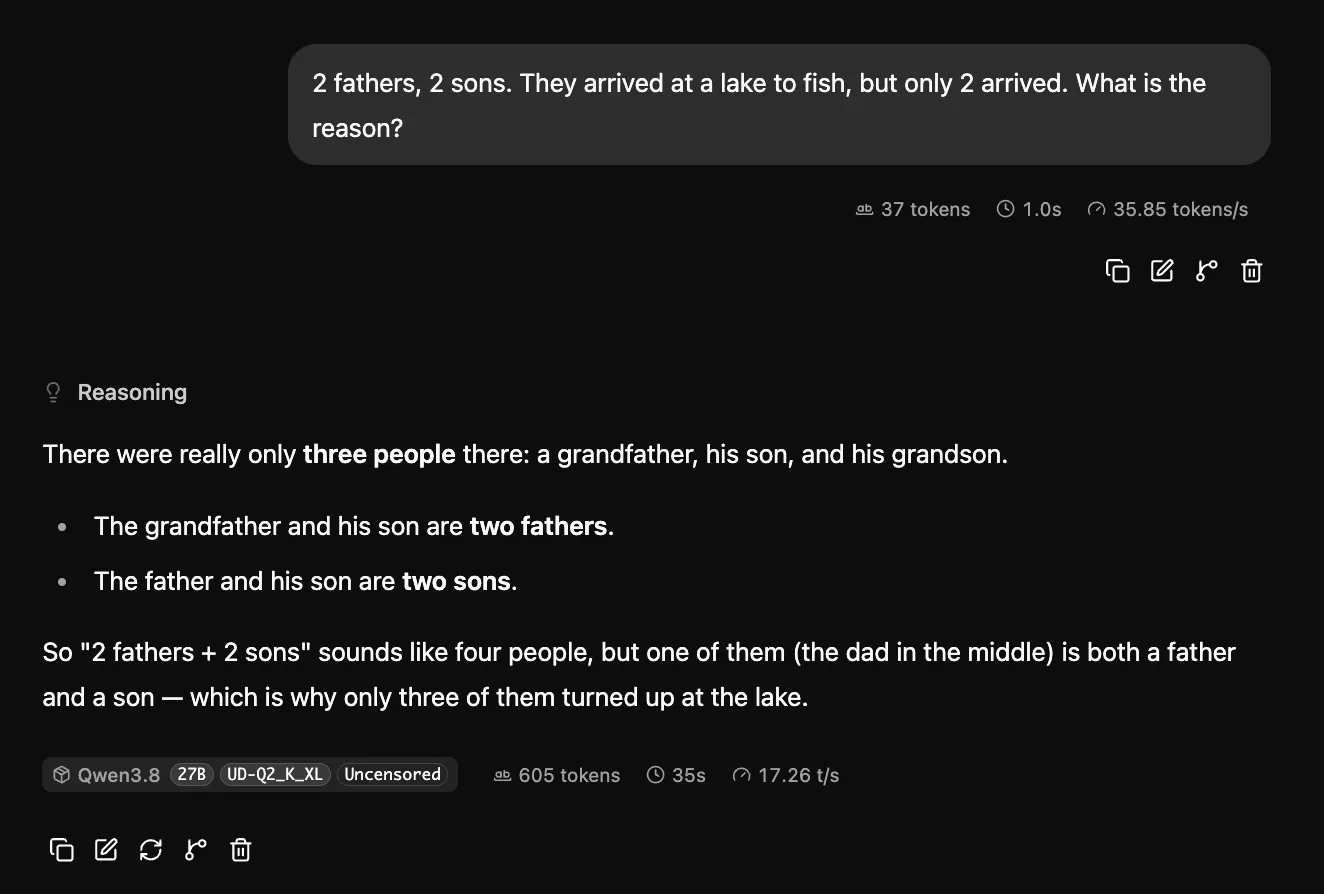 prompt: 2 fathers, 2 sons
Most of these ‘trick’ prompts would’ve crashed or stumped other (even larger) models! But, as you can see, Qwen3.8-27b handles them like a champ!
Step-by-step instructions:
Below are the steps I followed to get Qwen 3.8 27b Local LLM up and running on Ubuntu 24.04 desktop, Docker, llama.cpp, and a single RTX 5060 Ti 16GB VRAM GPU card:
- Download Qwen Model:
I downloaded the model from huggingface using the link below:
https://huggingface.co/DavidrPatton/Qwen3.8-27B-Uncensored-UD3-GGUF
I followed the setup Guide for Ubuntu on the site, but I had to modify it a bit to fit my setup:
- Check freedisk space by typing:
df -h /home- Create Folder & Download Files:
mkdir -p ~/QwenModel && cd ~/QwenModel

# Download model weights
pip install -U huggingface_hub
huggingface-cli download DavidrPatton/Qwen3.8-27B-Uncensored-UD3-GGUF Qwen3.8-27B-Uncensored-UD-Q2_K_XL.gguf --local-dir ~/QwenModel
huggingface-cli download DavidrPatton/Qwen3.8-27B-Uncensored-UD3-GGUF mmproj-BF16.gguf --local-dir ~/QwenModel- Create docker-compose.yml in ~/QwenModel folder:
Use nano to create the file:
nano ~/QwenModel/docker-compose.ymlCopy and paste into the docker-compose.yml file
services:
  qwen38-server:
    image: ghcr.io/ggml-org/llama.cpp:server-cuda
    container_name: qwen38-server
    restart: unless-stopped
    ports:
      - "9999:9999"
    volumes:
      - "$HOME/QwenModel:/models:ro"
    command: >
      --model "/models/Qwen3.8-27B-Uncensored-UD-Q2_K_XL.gguf"
      --mmproj "/models/mmproj-BF16.gguf"
      --n-gpu-layers 99
      --ctx-size 32768
      --cache-type-k q8_0
      --cache-type-v q4_0
      --temp 1.0
      --top-p 0.95
      --top-k 20
      --min-p 0.05
      --dry-multiplier 0.6
      --dry-base 1.75
      --dry-allowed-length 2
      --xtc-probability 0.1
      --flash-attn on
      --spec-type draft-mtp
      --spec-draft-n-max 2
      -b 4096
      -ub 1024
      --cont-batching
      --parallel 1
      --reasoning-preserve
      --reasoning-budget 512
      --metrics
      --host 0.0.0.0
      --port 9999
    deploy:
      resources:
        reservations:
          devices:
            - driver: nvidia
              count: all
              capabilities: [gpu]
I lowered context size from 131072 down to 32768 to leave enough VRAM for other tasks.
I also reduce reasoning-budget to 512, as I found the model to spend too much time overthinking the prompt at 1024 setting.
- Install Nvidia Driver on Ubuntu 24.04:
Install correct Nvidia Driver using the command below:
sudo ubuntu-drivers install- Setup Docker
I already have Docker installed on my Ubuntu desktop, but if you haven’t done so, follow the instruction below:
Update your package index once more to detect the new repository:
sudo apt-get updateInstall the latest Docker Engine, command line tools, container runtime, and the Docker Compose plugin:
sudo apt-get install -y docker-ce docker-ce-cli containerd.io docker-buildx-plugin docker-compose-pluginVerify the installation:
sudo systemctl status dockerRun the test hello-world container to confirm:
sudo docker run --rm hello-worldHowever, I ran into error below trying to connect Docker without sudo as Docker requires root privileges.
permission denied while trying to connect to the docker API at unix:///var/run/docker.sockI used the command below to run Docker commands as your regular user:
- Create the docker group
sudo groupadd docker- Add your current user to the group
sudo usermod -aG docker $USER-Apply the group changes
newgrp dockerThen I restarted my pc, and tested Docker again with:
docker run --rm hello-worldThis time it worked perfectly.
- Install NVIDIA CONTAINER TOOLKIT for Ubuntu 24.04
Follow the instructions below to get Nvidia Container Toolkit to work with your docker setup. The original instruction is from Nvidia website.
https://docs.nvidia.com/datacenter/cloud-native/container-toolkit/latest/install-guide.html
- Install the prerequisites for the instructions below:
sudo apt-get update && sudo apt-get install -y --no-install-recommends \
   ca-certificates \
   curl \
   gnupg2
I encountered errors during the install below;
E: Could not get lock /var/lib/dpkg/lock-frontend. It is held by process 33232 (unattended-upgr)And I used the commands below to force kill the locked process:
sudo systemctl stop unattended-upgrades && sudo kill -9 33232 2>/dev/null; sudo apt-get update && sudo apt-get install -y --no-install-recommends ca-certificates curl gnupg2- Configure the production repository:
curl -fsSL https://nvidia.github.io/libnvidia-container/gpgkey | sudo gpg --dearmor -o /usr/share/keyrings/nvidia-container-toolkit-keyring.gpg \
  && curl -s -L https://nvidia.github.io/libnvidia-container/stable/deb/nvidia-container-toolkit.list | \
    sed 's#deb https://#deb [signed-by=/usr/share/keyrings/nvidia-container-toolkit-keyring.gpg] https://#g' | \
sudo tee /etc/apt/sources.list.d/nvidia-container-toolkit.list- Update the packages list from the repository:
sudo apt-get update- Install the NVIDIA Container Toolkit packages:
export NVIDIA_CONTAINER_TOOLKIT_VERSION=1.20.0-1
  sudo apt-get install -y \
      nvidia-container-toolkit=${NVIDIA_CONTAINER_TOOLKIT_VERSION} \
      nvidia-container-toolkit-base=${NVIDIA_CONTAINER_TOOLKIT_VERSION} \
      libnvidia-container-tools=${NVIDIA_CONTAINER_TOOLKIT_VERSION} \
libnvidia-container1=${NVIDIA_CONTAINER_TOOLKIT_VERSION}- Configure for docker:
sudo nvidia-ctk runtime configure --runtime=docker- Restart Docker after installing the toolkit:
sudo systemctl restart docker- Test Docker GPU access:
docker run --rm --gpus all ubuntu nvidia-smiIf Docker successfully detected the GPU, you’re ready to run the model.
- Run the model:
# To start docker / Qwen LLM server
docker compose up -d

# To power down server
docker compose down

# To check logs for error
docker compose logs --tail=50
On the same pc, you can browse to localhost to chat with the llm model at:
http://localhost:9999Or if you browse from your local network, run the command below to findout your server PC’s local IP address.
hostname -IOnce you get your pc’s local IP, just point your browser to it and start chatting!
http://192.168.1.xxx:9999/Final Thoughts
The RTX5060ti 16GB is the cheapest (NEW!) 16GB GPU I can find at the moment. I also found a brandnew RTX3060 12GB selling for around 350USD, which is also a good deal, but decided to go with the RTX5060ti instead. It turns out to be a quite good, efficient and quiet entry level card for local llm. It also runs Gemma 4 12b reliably as well.
Key Takeaways:
Nvidia RTX 5060 Ti 16GB with 16GB GDDR7, ~448 GB/s bandwidth, and a low 180W TDP, can comfortably run the new Qwen 3.8 27b model at reasonably good quality (for my coding & research use case) at around 20-22 token/sec, above the real-world threshold for chat and coding use.
And that’s it! Have fun testing different settings and fine-tuning your local Qwen 3.8 27b!
What’s Next
Now that I know I can run this particular Qwen 3.8 27b model reliably on a single 16GB GPU, next I will try it in a dual-GPU setup to fit larger model, either with better quantization, or a different model altogether. So, stay-tuned!
🙏 Credit
-
Base Uncensored Weights: Created by Jonathan Coletti (JonathanColetti/Qwen3.8-27B-Uncensored) using Heretic orthogonal abliteration at BF16.
-
Base Architecture: Developed by the Qwen Team / Alibaba Cloud (Qwen/Qwen3.8-27B).
-
Dynamic 3.0 Quantization: Layer importance mapping, MTP draft pinning, and local quantization build engineered by David Patton.
🔗 Connect
I’m building Prevalis Strategies as a technical + strategic consulting venture. Follow the journey, learn with me, or drop suggestions or questions!
Domain: https://prevalisai.com
Email: [info@prevalisai.com]
Built & maintained by: prevalisai.com ✨